AppliedAI and McKinsey partner to deliver agentic AI to regulated enterprises

What's new?

New features, improvements and fixes from the Opus team

One canvas, the whole team

The Discover canvas is now something a whole team can work in at once. Opening a step used to lock it for everyone else. Now only the exact field someone is typing in is held.

A bank team mapping their purchasing process:

  • One person outlines the steps
  • A colleague fills in which systems each step uses, on the same step at the same time
  • An expert adds the approver two steps down

Won't it get messy with everyone working at once?

Version history records what changed and who changed it, and you can restore an earlier version at any time.

Why it matters

Mapping a process stops being a solo transcription job. The more people who can put what they know straight into Opus, the faster processes get captured, and the closer they stay to how the work actually happens.

Also shipped:

Discover

  • A minimap shows the whole process at a glance: click to jump, drag to pan
  • Every process gets a key facts panel covering how often it runs, which systems it touches, and who's involved. Mostly auto-filled, fully editable
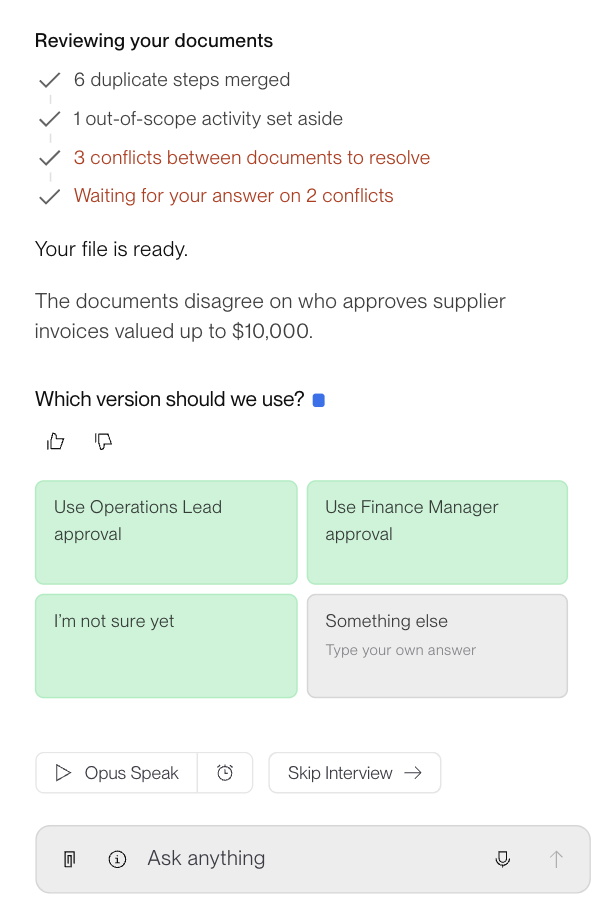
  • Opus interviews you briefly before drafting steps, confirming what your documents already say rather than asking twice
  • Steps can show a realistic time range, with waiting time counted separately from working time

Build

  • Uploads of 150+ files can now go through
  • Dates can resolve to when a workflow actually runs
  • Copy a step's content, or its full list of variables, in one click

Run

  • Human Review tasks can go to Process Owners and Job Reviewers

Govern

  • A reworked Members page shows every role and outstanding invitation in one place, with access changes kept on record
  • Tag and filter the file library by org unit, so a shared library narrows to one department in a click

Digital Twin

  • The Blueprint now shows who belongs to each workspace as avatars, admins near the centre

Share a workflow that's ready to run

From the Share menu, hand a colleague a copy of a workflow that runs, not a blank template to rebuild.

An Operations Lead at an insurer builds claims intake:

  • Takes in a new claim
  • Checks the policy is active and the loss is covered
  • Flags edge cases for a person to review

It works for her team. Getting it to the other claims teams used to mean each one rebuilding it and reconnecting their systems, which took days of setup each. Now she shares it once and it lands running.

Does that mean handing over my credentials?

Inside your workspace, the copy reconnects to the original credential. Crossing into another workspace, it gets its own clone with ownership transferred to the recipient. A Share credentials with other workspaces checkbox puts that decision in your hands as you share. Private variables stay with each user. If a step fails its security check the copy stops, tells you who to ask, and gives you a trace ID to quote.

Why it matters

Automation stops being a one-team thing. What one person builds, everyone can run, without rebuilding it team by team.

Also shipped:

Discover

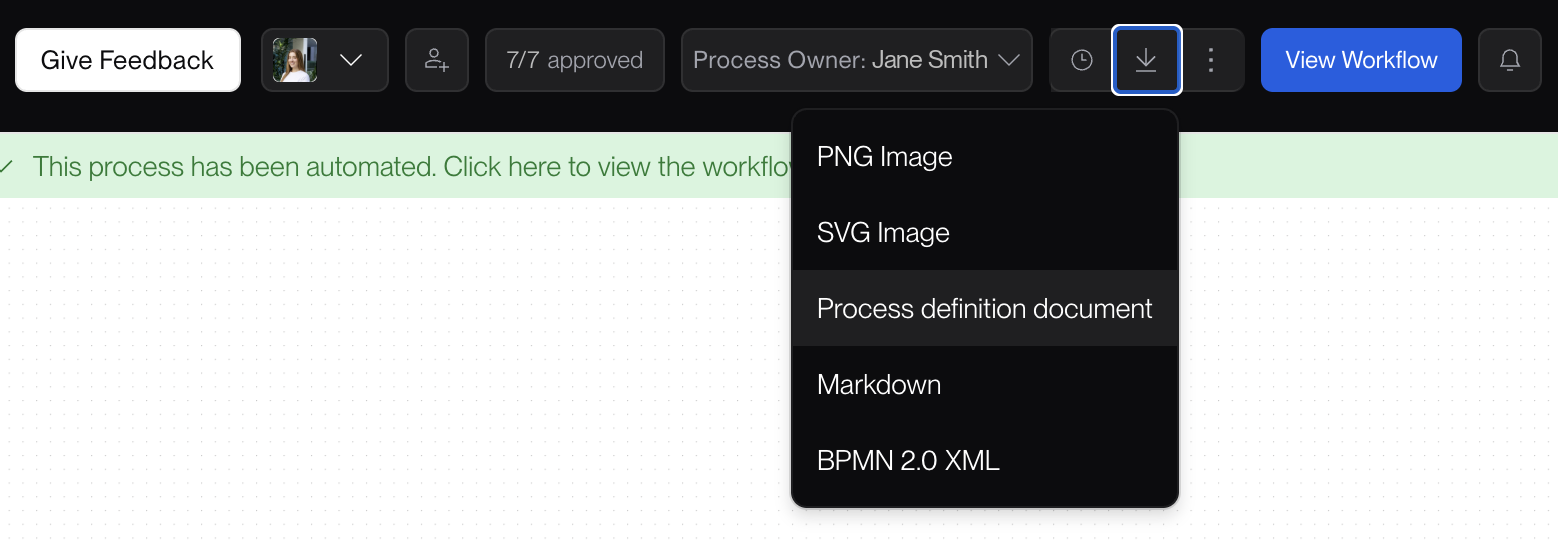
  • Export any discovered process as standard BPMN, so it opens in the tools you already run
  • See and add the processes connected to this one from its details page
  • Your canvas layout stays exactly as you arranged it, on every visit
  • A process that reads 'approved' now reads approved everywhere: listing, details page, and Blueprint
  • Step fields accept links, so the policy or instructions a step relies on sit right on it

Build

  • Set an AI model once on a shared variable and every node reading it picks it up
  • Organize the File Library into folders, each with a clear owner
  • Run a single node on its own using real values from the nodes before it
  • Search the live web from a workflow with the OpenAI Web Search integration
  • See which workflows use an integration before you change its credential

Govern

  • Each user now carries a single, unambiguous role

Platform and API

  • The Opus API is now versioned and authenticated with an API key, so your integration keeps working and you upgrade on your own timeline
  • Workflow generation endpoints are available on the versioned path

Start a process in more than one place

A process can now have several starting points, and each branch of a Decision step can hold several steps of its own.

A procurement process rarely starts one way:

  • A request arrives through the portal
  • Or by email to the buying team
  • Or automatically from the ERP

All three run into the same approval path, and above a threshold that path forks again.

Won't that turn the canvas into spaghetti?

Decision conditions now live in the step side panel rather than on the canvas, so a branching process stays readable as it grows. Nodes and connectors have been redesigned, Tidy Up sits directly on the canvas menu, and Ctrl+Z (Cmd+Z on Mac) undoes canvas actions including adding and deleting steps.

Why it matters

Real processes branch. Forcing one into a straight line means the map doesn't match the work, and every automation built on that map inherits the gap.

Also shipped:

Discover

  • Approve every step assigned to you in one action
  • Invite people into a discovery and see who's collaborating with you
  • Duplicate a step in one click instead of re-entering similar details
  • Performed By, Integrations, and Teams Involved suggest values you've used before
  • Comments tied to a step now show in the step side drawer

Build

  • Share a workflow for others to run. Input variables and sub-workflows come with it, while private variables stay with each user

Govern

  • Delete your own Opus account directly from settings

Platform and API

  • The canvas stays responsive with many collaborators on the same process

Plan a future org structure beside your current one

Org units now carry their own membership and access, and a new people view shows who sits where. Alongside the structure you have today, you can model the one you're working towards.

A shared services team splitting by region:

  • Today: one central unit, one access model, every process owned centrally
  • To-be: three regional units, each owning the processes it runs
  • Both sit side by side until the switch happens

Who can change the org structure?

Creating and managing units requires org-admin permissions. Invite roles set what a new member can do from the moment they join, so someone added to a unit arrives with the right access rather than waiting for it.

Why it matters

This is the foundation of the Digital Twin. Once people, access, and processes all hang off the same org units, you have one picture of how the company actually operates, and a way to test a change against it before committing to the reorganization.

Also shipped:

Build

  • A task can now produce a file as its output
  • Opus Code surfaces clearer, more helpful Python error messages

Run

  • View the full execution history for a case
  • Cases triggered by API now execute as fast as they do on the canvas

Govern

  • Workflow Builders can invite members directly to a workspace
  • Invited users without an account are guided straight to registration

Digital Twin

  • Blueprints are now managed at the organization level

Platform and API

  • In-app support chat now runs on Salesforce Live Chat
  • The canvas stays responsive during editing, and with a large execution history

Your real org structure, now inside Opus

Define custom org levels (Division, Department, Team) and fill them with units that mirror your actual teams.

A bank mapping three divisions and forty teams:

  • Set the levels that match how the business is organized
  • Create units for the real teams inside them
  • Link each process to the unit that owns it

An interactive org chart shows the whole hierarchy, and you can drill into any unit to see what sits beneath it.

Does this add another layer to navigate?

The opposite. Every list and view filters by org unit or level, so a long list narrows to one department in a click. The Blueprint opens on your default scope and shows the owning unit for every process.

Why it matters

Link processes and resources to the unit that owns them and accountability becomes visible rather than assumed. This is also the structure everything later builds on: membership, access, and the Digital Twin all hang off these units.

Also shipped:

Discover

  • The Departments field is now Teams Involved, so you can tag every team that touches a process alongside the unit that owns it
  • Performers, Teams Involved, and Integrations suggest existing names as you type
  • Add and edit process descriptions on the Business Process Details page
  • One person can edit a node's fields while others keep connecting nodes on the canvas

Build

  • Tool calling is now fully supported in Advanced agents
  • Create sub-workflows directly from the builder
  • Filter integrations by workspace
  • Code Nodes run independently, so one node's outcome no longer affects others running at the same time

Digital Twin

  • The Blueprint shows the owning org unit for every process
  • Open the Blueprint on your default scope, then filter by org unit

API keys now match their creator's access

An API key carries the exact roles and workspaces of the person who generated it, replacing the previous organization-wide access model. A key can no longer reach more than its creator can.

Do I need to do anything?

Existing keys were migrated automatically and no action is required. If you have an integration that reaches across several workspaces, it is worth confirming the key's creator is a member of all of them.

Why it matters

Permissions you set for a person now hold for anything they automate. Reviewing someone's access tells you what their integrations can reach, without checking keys separately.

Also shipped:

Discover

  • Export the full process as a PNG from chat, not just the visible area
  • A refreshed Interview View with clearer journey visibility
  • The Canvas View header shows one consolidated notifications section
  • Business Process Discovery is reachable by direct link

Build

  • Sub-workflows now support Human Intervention steps
  • Node-level execution settings take priority over the workflow defaults
  • Detailed execution metrics show where a run spent its time
  • Filter workflows by workspace, with counts reflecting the filter
  • Agent output is more consistent across identical runs

Govern

  • The Workspace Members tab supports Status and Role filters, and column sorting
  • You get an email when you are invited to a workspace, and a verification email when signing up to a specific organization

Opus, rebuilt from the ground up

Every core component has been rebuilt: how you discover processes, build workflows, run them, and control who can do what. The full story is in the announcement, and the concrete changes are below.

Two things swapped names. What used to be Jobs is now Cases, and what used to be Human Tasks is now Jobs. If you're following an older doc or a saved link, check the rename list at the bottom.

Discover

Describe a process in plain language and Opus turns it into something you can automate. Before making a change that would significantly affect a process, Opus Chat stops and asks, offering a few options to choose from. The canvas is multiplayer, so you can see who else is on it, and you're notified when someone adds or deletes a step.

Build

The workflow builder is rewritten around live collaboration, with cursors and chat on the canvas and a sidebar for browsing version history. Per-step settings cover caching, retries, timeouts, and type checking. A new Agent Playground lets you build, generate, and test an agent before connecting it to a workflow: describe what you want in a prompt and Opus generates the configuration, then checks the agent against your guidelines while it runs rather than reviewing it after the fact. Agents, Code, Integrations, and Jobs now work the same way in the marketplace, with the same tabs, filters, and setup panel across all four, and credentials can be added without leaving it.

Run

An interrupted run now resumes from where it stopped instead of starting over, and a sidebar shows the full execution history.

Govern

A new permission model: everything in Opus belongs to a workspace, and you can't reach it unless you're a member of that workspace. System roles now split into organization and workspace level, with custom roles for the cases the system roles don't cover.

Renamed in v2.0:

  • Jobs → Cases, across the app
  • Human Tasks → Jobs
  • Environment Variables → Shared Variables
  • Jobs Scheduler → Schedules, now under Channels
Read the announcement

Want to go further back?

See the release notes for every version before Opus v2.0.